The short version. Solvely is a broad study app for the web, phones and Chrome: you give it a problem as a photo, PDF or typed text, and it also does lecture notes, flashcards and exam prep. CleverNode does one thing: it works inside your homework site, reads the question there, and puts the answer beside it.
Side by side
| CleverNode | Solvely | |
|---|---|---|
| How you ask | Click the question on the homework page | Bring the problem to Solvely"Drag and drop any problem: photo, PDF, or typed text." |
| Where answers appear | On the homework page, beside each blank or outlined on the option | In Solvely |
| Do you leave the homework page? | No. No popup, no side panel, no other tab | Yes. The problem goes to Solvely as a photo, PDF or typed text |
| WebAssign, Mastering, Connect, Cengage | Built for each one, blank by blank and part by part | No homework site named |
| Canvas quizzes | Classic and New Quizzes | No homework site named |
| Study tools | None. CleverNode answers questions. | Lecture notes, flashcards, quizzes and exam prep |
| Where it runs | Chrome | Web, iOS, Android, and Chrome and Edge extensions |
| Free | 10 questions to start, no card | A free version with basic homework help"includes basic homework help and study tools" |
| Price | $10 a month for 100 questions, $15 for 300, $25 for 700. Unused questions roll over. | Solvely Unlimited. Prices are not shown on its home page. |
See CleverNode on a WebAssign question
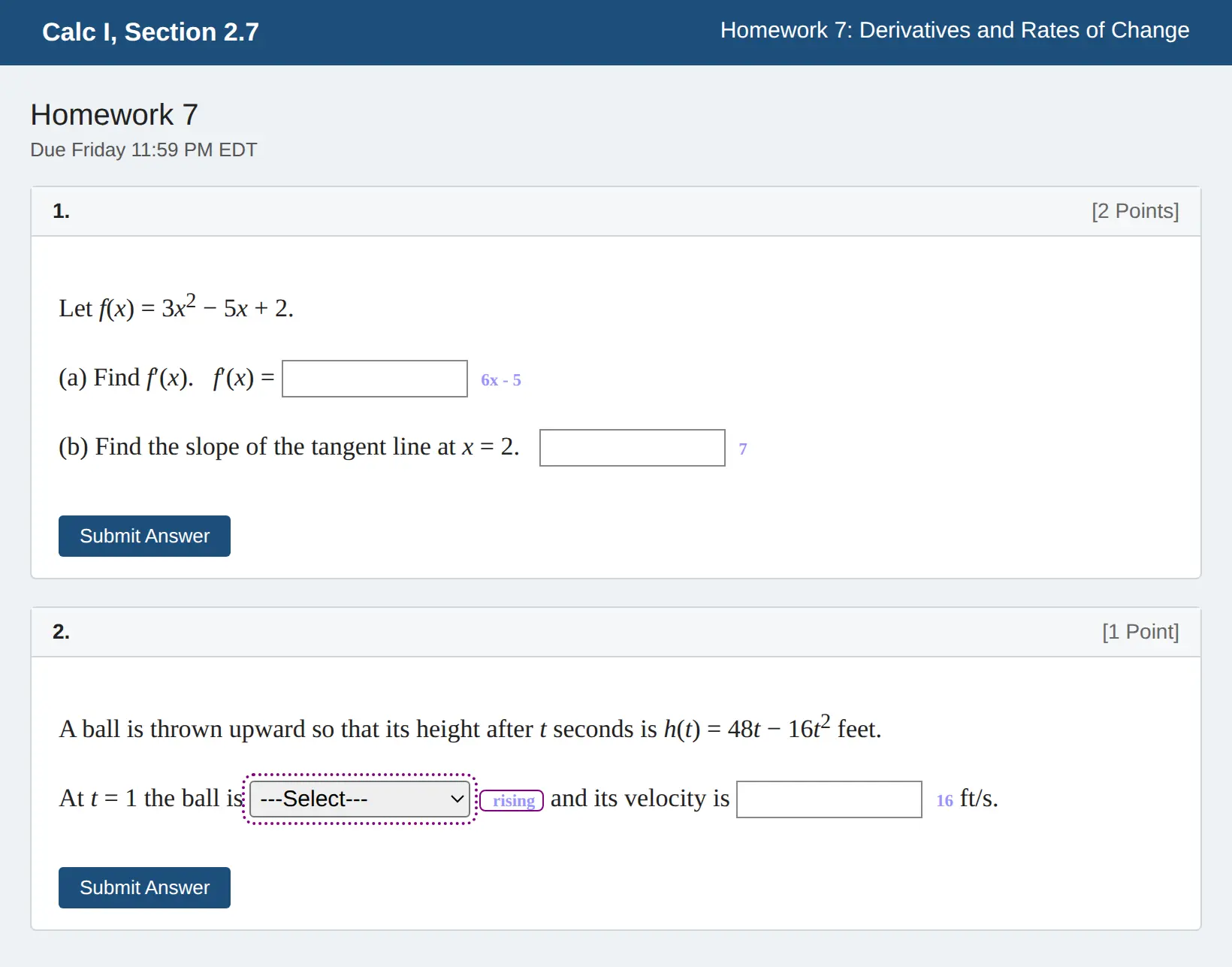
A practice page we built in WebAssign's layout, with questions we wrote. More on CleverNode for WebAssign.
Where CleverNode is the better pick
- You do not want to leave the page. You click the question where it is, and the answer appears beside the blank. No popup, no photos, no copying the problem into another app, no switching tabs.
- Your homework is on WebAssign, Mastering, Connect or Cengage. CleverNode is built for each of these sites, so it reads the question the way the site lays it out.
- Your questions have several blanks. Each blank gets its own answer, placed on that blank, and dropdown picks are outlined.
- The question depends on the page. CleverNode reads dropdown options, figure descriptions and the earlier parts of a problem straight from the page.
- You want to know the price up front. CleverNode's plans and what they include are on the home page.
Where Solvely may suit you
Solvely does far more than answer homework: it records lectures, makes notes and flashcards, and predicts exam topics. It runs on your phone, and works with problems from anywhere, including paper worksheets. If you want a study app rather than help inside your homework site, Solvely covers more ground.
Try CleverNode free
Sign in with Google and your first 10 questions are free, no card needed. Install takes about two minutes.
Questions
Is CleverNode an alternative to Solvely?
For homework on WebAssign, Pearson Mastering, McGraw Hill Connect, Cengage and Canvas, yes. CleverNode answers inside those sites. Solvely is a broader study app that you bring problems to.
Does Solvely work inside WebAssign or Mastering?
Solvely's home page does not name any homework site. You give it the problem as a photo, PDF or typed text.
Does CleverNode make flashcards or notes?
No. CleverNode answers the questions on your homework page and nothing else.
Can the AI be wrong?
Yes, on either product. Check the answers, and only use AI where your class allows it.
Sources
Solvely details and quotes are from solvely.ai, as published on October 23, 2026. Solvely may have changed since; if something here is out of date, email support@clevernode.org and it will be corrected. CleverNode is not affiliated with Solvely, Cengage, Pearson, McGraw Hill or Instructure. Product names belong to their owners.