The short version. SnapGPT is a Chrome and Firefox extension that takes a screenshot of the question and answers from the picture. CleverNode reads the question from the page itself, including the figure descriptions and the parts around it, and puts each answer beside the blank it belongs to.
Side by side
| CleverNode | SnapGPT | |
|---|---|---|
| How it reads the question | From the page itself: the text, the math, each blank, the dropdown options and the site's own figure descriptions | From a screenshot"screenshots the question" and reads it "with vision AI" |
| Where answers appear | Beside each blank, or as an outline on the option to pick. Click an answer to copy it. | In the extension, for you to type in. Autopilot, on Plus, enters answers for you. |
| Multi-part questions | Each blank gets its own answer, placed on that blank | Each part answered in order"Each part answered in order, with the working carried through" |
| WebAssign | Yes, blank by blank, with dropdown picks outlined | Yes, from a screenshot |
| Pearson Mastering | Yes, part by part, with answers copied in the editor's own format | Pearson MyLab listed |
| McGraw Hill Connect | Yes, including accounting worksheets a row at a time | Listed |
| Cengage SAM (Word, Excel, PowerPoint) | Numbered steps, each boxed on the screen | Not listed |
| Other sites | Canvas, Cengage CNOW and Amplifire | Many more, since a screenshot works anywhere: Quizlet, Blackboard, Google Forms, Khan Academy, Moodle, ALEKS and others |
| Free | 10 questions to start, no card | 5 screenshot answers a day |
| Price | $10 a month for 100 questions, $15 for 300, $25 for 700. Unused questions roll over. | Plus: $7.99 a week, $9.99 a month, or $89.99 a year |
See CleverNode on a WebAssign question
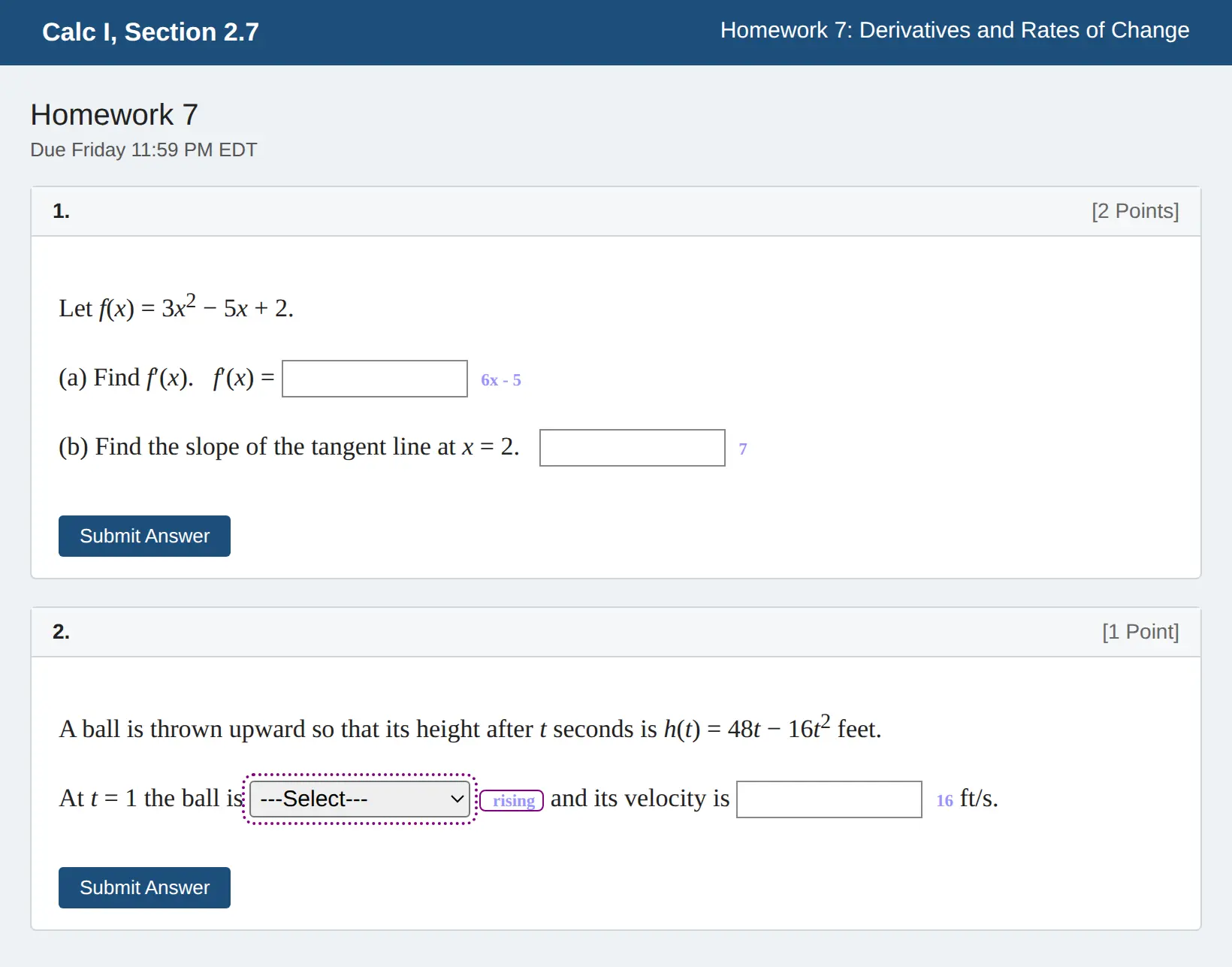
A practice page we built in WebAssign's layout, with questions we wrote. More on CleverNode for WebAssign.
Where CleverNode is the better pick
- Your homework has blanks, not one question. A WebAssign problem with five boxes and a dropdown gets five answers and a pick, each placed on its own box. There is nothing to match up by hand.
- The page knows more than the picture shows. CleverNode reads the dropdown's options, WebAssign's own description of each graph, Mastering's figures and Learning Goal, and the earlier parts of the problem. A screenshot only has what fits on screen.
- Your answer has to be typed in a certain way. On Mastering, clicking an answer copies it in the form the equation editor accepts.
- You are on Cengage SAM. CleverNode gives numbered steps for the Word, Excel or PowerPoint task, with a box on the screen for each place to click.
Where SnapGPT may suit you
SnapGPT works on any site you can take a screenshot of, so it reaches places CleverNode does not, like Quizlet, Blackboard, Google Forms and ALEKS. If you answer a lot of questions every week, its unlimited monthly plan can cost less. Its Autopilot mode on Plus also enters answers for you, where CleverNode only shows them.
Try CleverNode free
Sign in with Google and your first 10 questions are free, no card needed. Install takes about two minutes.
Questions
Is CleverNode an alternative to SnapGPT?
Yes. Both are Chrome extensions for homework. SnapGPT answers from a screenshot. CleverNode reads the question from the page and places an answer on each blank, on WebAssign, Pearson Mastering, McGraw Hill Connect, Cengage and Canvas.
Does SnapGPT read the page or a screenshot?
SnapGPT's WebAssign page says it screenshots the question and reads it with vision AI. CleverNode reads the question's text, math and blanks directly from the page.
Which is cheaper?
SnapGPT Plus is $7.99 a week, $9.99 a month or $89.99 a year, with 5 free screenshot answers a day. CleverNode is $10 a month for 100 questions, $15 for 300 or $25 for 700, with 10 free questions to start and unused questions rolling over.
Can the AI be wrong?
Yes, on either product. Check the answers, and only use AI where your class allows it.
Sources
SnapGPT details and quotes are from snapgpt.me, its pricing page and its WebAssign page, as published on October 23, 2026. SnapGPT may have changed since; if something here is out of date, email support@clevernode.org and it will be corrected. CleverNode is not affiliated with SnapGPT, Cengage, Pearson, McGraw Hill or Instructure. Product names belong to their owners.